Shared vs VPS vs Cloud Hosting: Which Web Hosting Is Right for You?
Choosing a web hosting plan can feel confusing, especially when you’re just getting started. Shared hosting, VPS hosting, and cloud hosting all sound technical and intimidating at first, and many beginners aren’t sure what they actually need.
The truth is that web hosting doesn’t have to be complicated. Each hosting type serves a specific purpose, and once you understand how they work, the decision becomes much easier.
In this beginner-friendly, step-by-step guide, we’ll break down each hosting type in plain English so you can confidently choose the best option for your website or online business - without overpaying or choosing something too advanced.
What Is Web Hosting (In Simple Terms)?
Web hosting is the service that stores your website files and makes your site accessible on the internet.
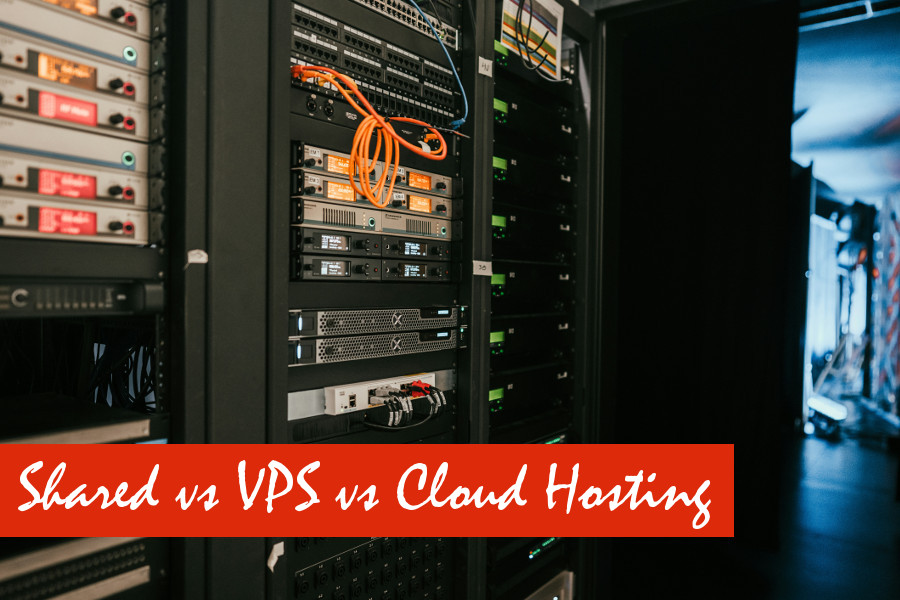
Every website is made up of files such as images, text, videos, and code. These files need to live on a computer that is connected to the internet 24/7. That computer is called a server, and hosting companies rent space on their servers so your website can be viewed by visitors at any time.
Think of hosting like renting space for your website. The type of space you choose affects performance, flexibility, security, and cost. A small personal blog doesn’t need the same setup as a busy online store, which is why different hosting options exist.
Overview: Shared vs VPS vs Cloud Hosting
Before diving deeper, here’s a quick overview of the three main hosting types:
- Shared hosting – You share a single server with many other websites
- VPS hosting – You get a dedicated portion of a server with guaranteed resources
- Cloud hosting – Your site runs on multiple connected servers instead of just one
Each option offers different levels of performance, control, and scalability. Let’s look at each one in detail.
Shared Hosting Explained
Shared hosting means your website lives on a server alongside dozens or even hundreds of other websites. All websites on that server share the same resources, including CPU power, memory, storage, and bandwidth.
This setup keeps costs low because the hosting provider spreads expenses across many customers. Most shared hosting plans come with easy-to-use control panels, one-click installers, and built-in maintenance, making them ideal for beginners.
Pros of shared hosting:
- Very affordable, often the cheapest hosting option
- Easy to set up with minimal configuration
- Beginner-friendly control panels like cPanel
- No technical skills required
- Hosting provider handles server maintenance
Cons of shared hosting:
- Limited performance due to shared resources
- Slower speeds during traffic spikes
- Less control over server settings
- Performance can be affected by other websites on the same server
- Potential security risks if another site is compromised
Best for: beginners, personal blogs, portfolio websites, and small business sites with low traffic.
VPS Hosting Explained
VPS stands for Virtual Private Server. While the physical server is still shared, it’s divided into multiple virtual environments. Each VPS user gets their own isolated space with guaranteed resources.
This means your website’s performance is no longer directly affected by other websites on the server. You also gain more control over server settings, which allows for greater customization.
Pros of VPS hosting:
- Better and more consistent performance
- Guaranteed resources that aren’t shared
- More control and customization options
- Scales better as traffic increases
- Improved security compared to shared hosting
Cons of VPS hosting:
- More expensive than shared hosting
- Requires some technical knowledge
- Server management may be needed unless managed VPS is used
Best for: growing websites, ecommerce stores, membership sites, and businesses that need reliable performance.
Cloud Hosting Explained
Cloud hosting uses multiple servers instead of relying on a single machine. Your website pulls resources from a network of connected servers, which improves reliability, speed, and uptime.
If one server fails, another takes over automatically. This makes cloud hosting one of the most resilient hosting options available. It’s also highly scalable, allowing websites to handle sudden traffic spikes without slowing down.
Pros of cloud hosting:
- High uptime and reliability
- Easy and near-instant scalability
- Handles traffic spikes smoothly
- Resources adjust based on demand
- Pay-for-what-you-use pricing models
Cons of cloud hosting:
- Can be more expensive than other options
- Pricing may be unpredictable
- More complex than shared hosting
- Often unnecessary for small websites
Best for: high-traffic websites, SaaS platforms, large ecommerce stores, and growing online businesses.
Performance Comparison: Speed and Reliability
Performance is one of the biggest differences between hosting types.
- Shared hosting: Slower speeds and lower reliability
- VPS hosting: More consistent performance
- Cloud hosting: Fastest and most reliable option
Scalability: Can Your Hosting Grow With You?
Scalability refers to how easily your hosting plan can handle growth.
- Shared hosting has very limited scalability
- VPS hosting allows controlled upgrades
- Cloud hosting scales almost instantly
Security Differences Explained
Security improves as you move up hosting tiers.
- Shared hosting: Shared risks
- VPS hosting: Isolated environments
- Cloud hosting: Built-in redundancy and protection
Cost Comparison: What Should You Expect to Pay?
Hosting costs vary by type.
- Shared hosting: lowest cost
- VPS hosting: mid-range pricing
- Cloud hosting: flexible but potentially higher costs
Step-by-Step: How to Choose the Right Hosting for You
Follow these steps to decide:
- Estimate your current website traffic
- Define your monthly budget
- Plan for future growth
- Assess your technical comfort level
- Choose the simplest option that meets your needs
Common Hosting Mistakes to Avoid
Beginners often make these mistakes:
- Choosing the cheapest option without planning for growth
- Ignoring performance and uptime
- Overpaying for resources you don’t need
- Selecting hosting that’s difficult to upgrade later
Conclusion
Shared, VPS, and cloud hosting each serve different purposes. The right choice depends on your current needs, budget, and future plans.
Start with what you need today, not what sounds impressive. As your website grows, your hosting can grow with it, giving you a strong foundation for long-term online success.